People & attendance
Know who is on site.
Connect staff and contractors to sites, review attendance and keep certification information with the people it belongs to.

BUILT AROUND THE WAY YOU WORK
Save time chasing updates across manual spreadsheets. Track your people, equipment, sites, vehicles and safety in one easy-to-use platform.
ON SITE. IN THE OFFICE. IN YOUR POCKET.
LESS CHASING. MORE KNOWING.
Who’s on site? Where’s that equipment? When does the certification expire? Bring the everyday questions into one connected place.
People & attendance
Connect staff and contractors to sites, review attendance and keep certification information with the people it belongs to.
Equipment & assets
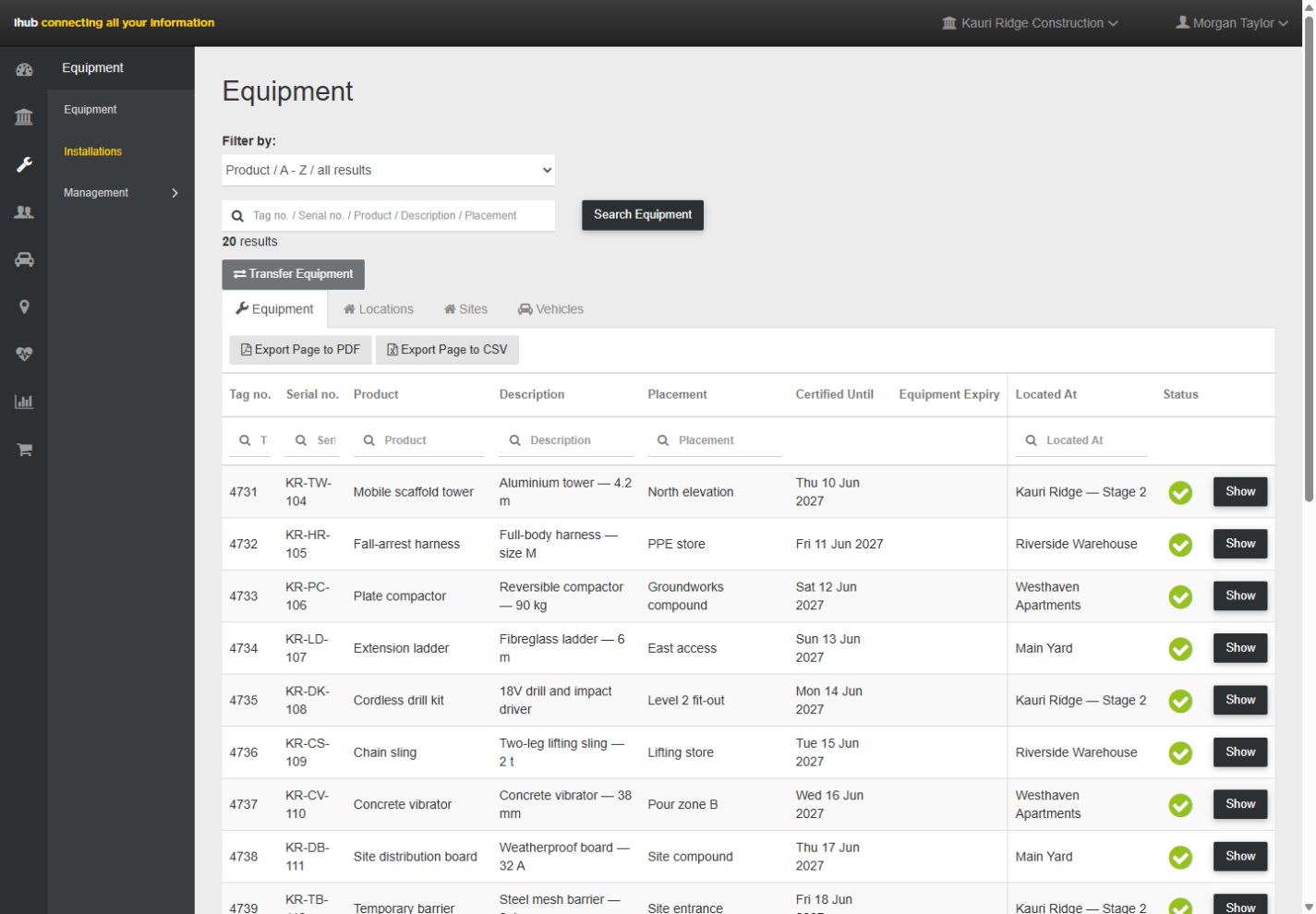
Find equipment by tag, review its location and certification status, and record transfers between locations.
Sites & projects
Keep people, equipment, hazards and site activity connected to the job, so the office and the crew share the same context.
Health & safety
Capture hazards, manage site information and keep inspection and installation records available for review.
Vehicles & locations
Organise vehicles and locations alongside your equipment register to understand where assets have been allocated.
Reports & visibility
Review site activity and attendance, create reports and export equipment information for your next conversation.
Keep certified equipment ready for the next job, with expiry dates and test certificates in one place. Spend less time chasing paperwork.
Track expiry dates against individual equipment records and receive alerts when equipment is due for recertification.
Participating testers can upload certification directly to ihub, keeping the test record with the equipment it belongs to.
Look up an asset to review its certification and expiry date, whether you are planning the next installation or checking equipment on site.
Users carry out scheduled installation inspections and keep the records alongside the installation and site they relate to. The crew and the office can find the latest inspection and follow up on anything that needs attention.
FROM THE SITE TO THE SCREEN
Use the web dashboard to find equipment, review site records and manage your team. Put QR scanning in the hands of the people doing the work.
See ihub on web & mobile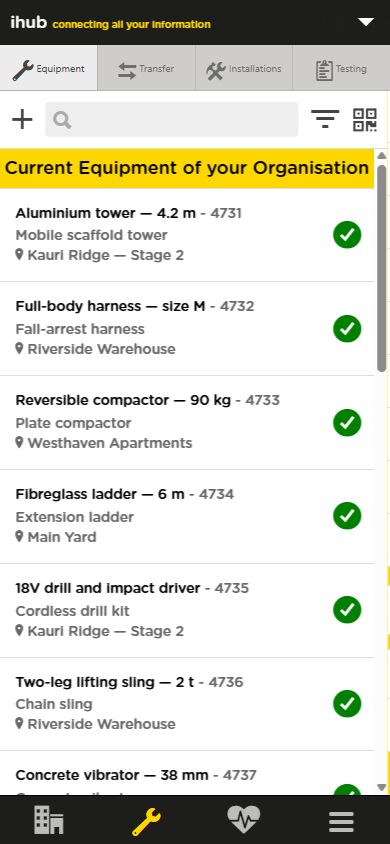
Your equipment.
In your pocket.
Add your people, sites, equipment and locations. Start with the part of your business that needs the most visibility.
Use ihub QR signs and asset labels to connect the physical site to its digital records, and be alerted when equipment is due for recertification.
Review activity in the web dashboard and use reports to follow up with the right people.
BUILT FOR HANDS-ON BUSINESSES
Construction crews. Scaffolders. Safety net installers. Equipment teams.
Keep the job connected, wherever the day takes you.
LET’S GET TO WORK
Start your first month free, or talk to Joel if you’d like a hand.